
Release notes
What’s new in Browser Extractor 1.2
Version 1.2.2, in the Chrome Web Store since
Browser Extractor 1.2 adds four things to the Chrome extension: Themes, to see any site in light or dark; copying between a page and Figma; DESIGN.md, a site’s design in one file for coding agents; and an audit that starts with what to fix. Every install starts with 7 days of everything and no card, then the Free plan or Pro.
Dark mode, even where a site has none
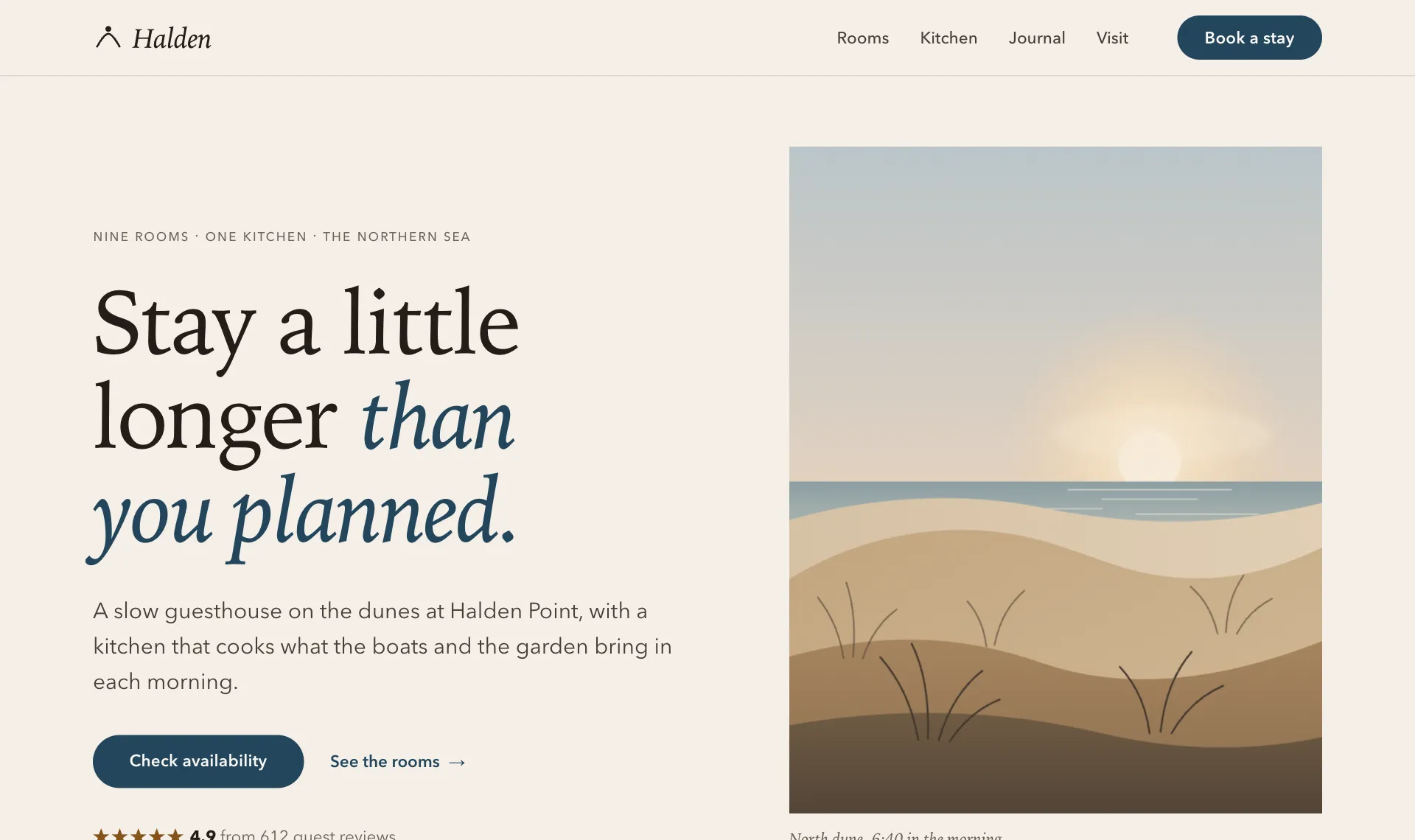
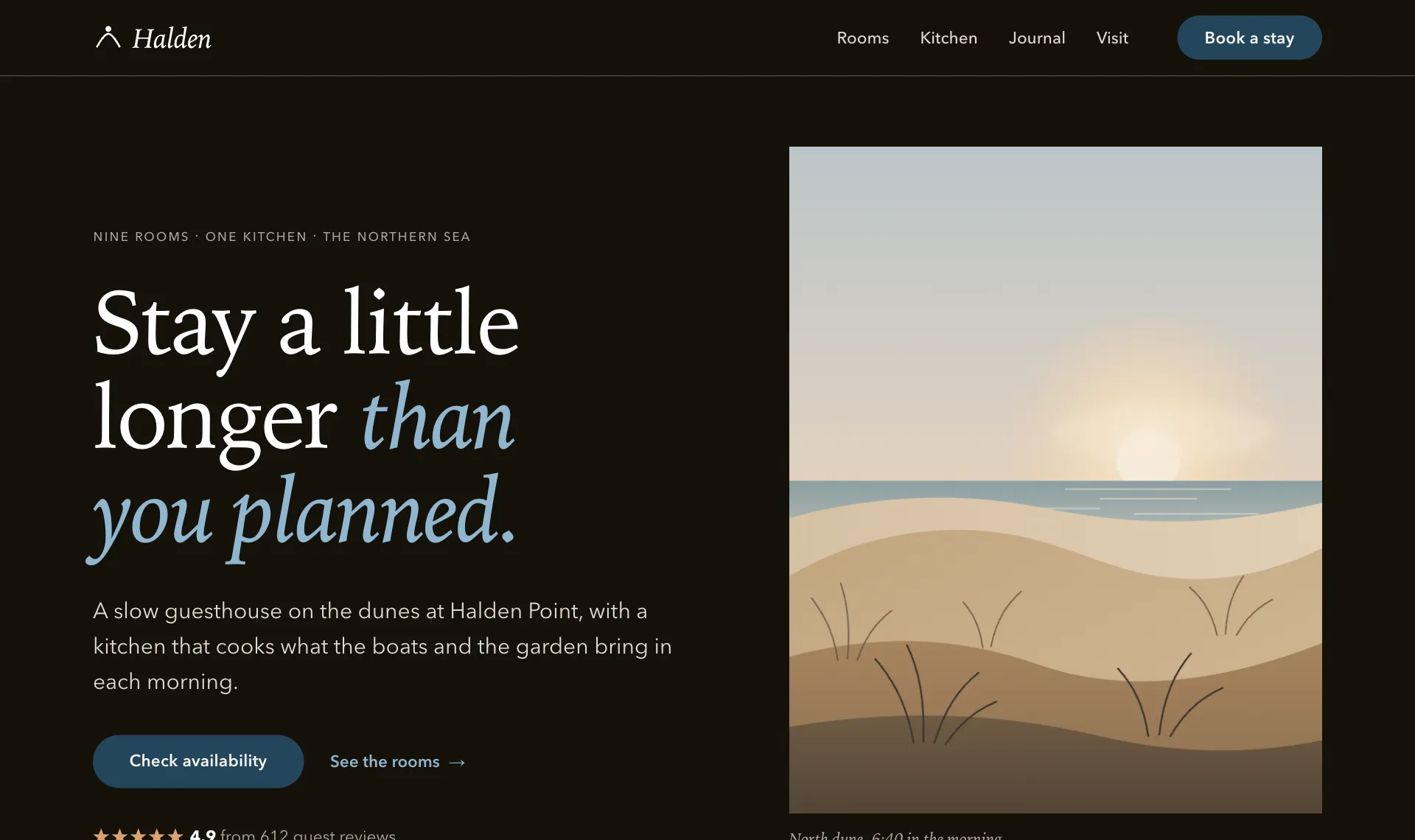
Press T with the toolbar open. If the site has a theme switch of its own, Themes uses it. If it doesn’t, Themes builds a color map from the site’s design. Restore original puts everything back.
Colors and Tokens can show the other theme, so you can adjust a mapped color and export it.
Move layers between a page and Figma
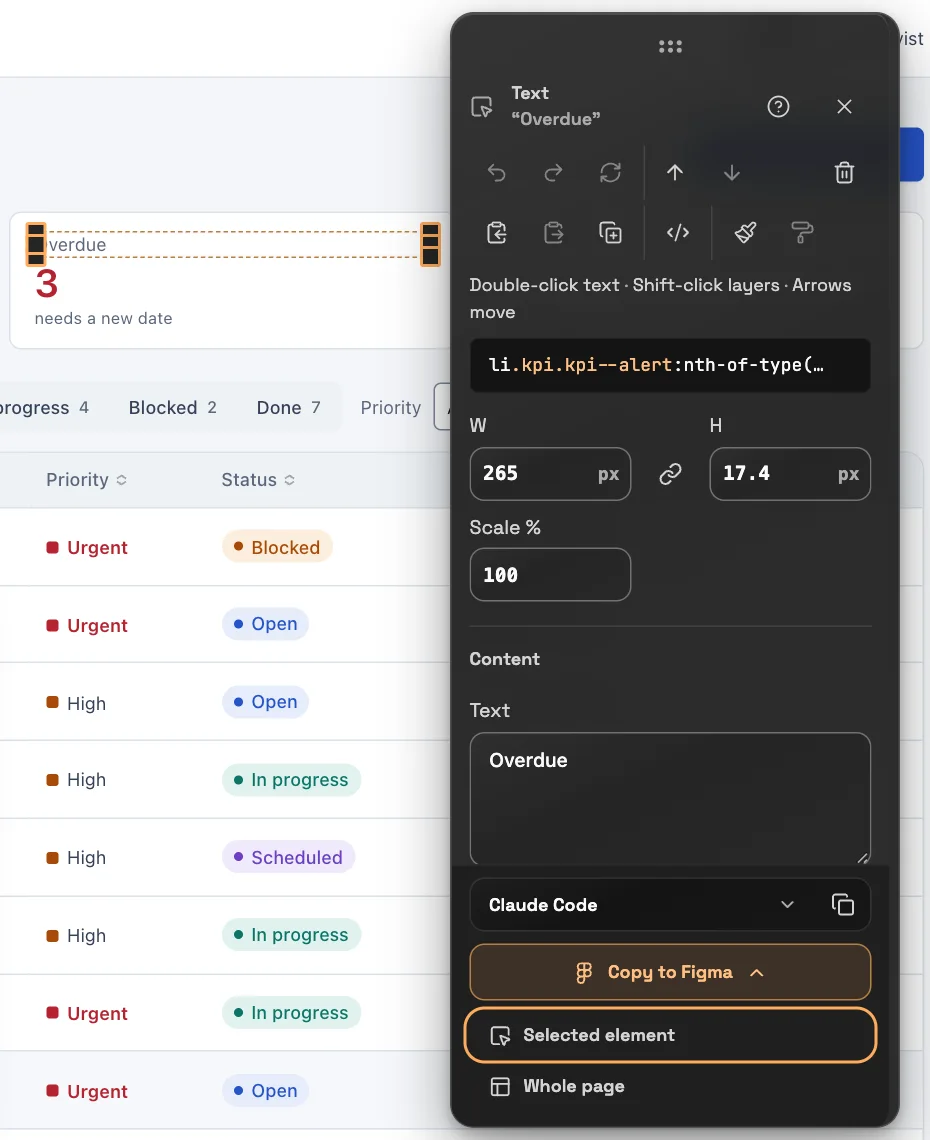
Select an element, or take the whole page, and paste it into Figma as editable layers. Going the other way, paste layers from Figma onto a page to try a design where it will live.
A DESIGN.md your coding agent can read
Export a site’s colors, type, spacing and components as one file, with every value measured from the page. Drop it in a repository and your agent has the design system in front of it.
---
version: alpha
name: "meridian.example design system"
description: "Measured on meridian.example on 2026-11-05 with Browser Extractor."
colors:
  "primary": "#2554c7"
  "on-primary": "#ffffff"
  "background": "#f4f6f9"
  "surface": "#f4f6f9"
  "text": "#111a2b"
  "text-secondary": "#5a677b"
  "text-inverse": "#ffffff"
  "neutral-50": "#ffffff"
  "neutral-100": "#f4f6f9"
  …
An audit that starts with what to fix
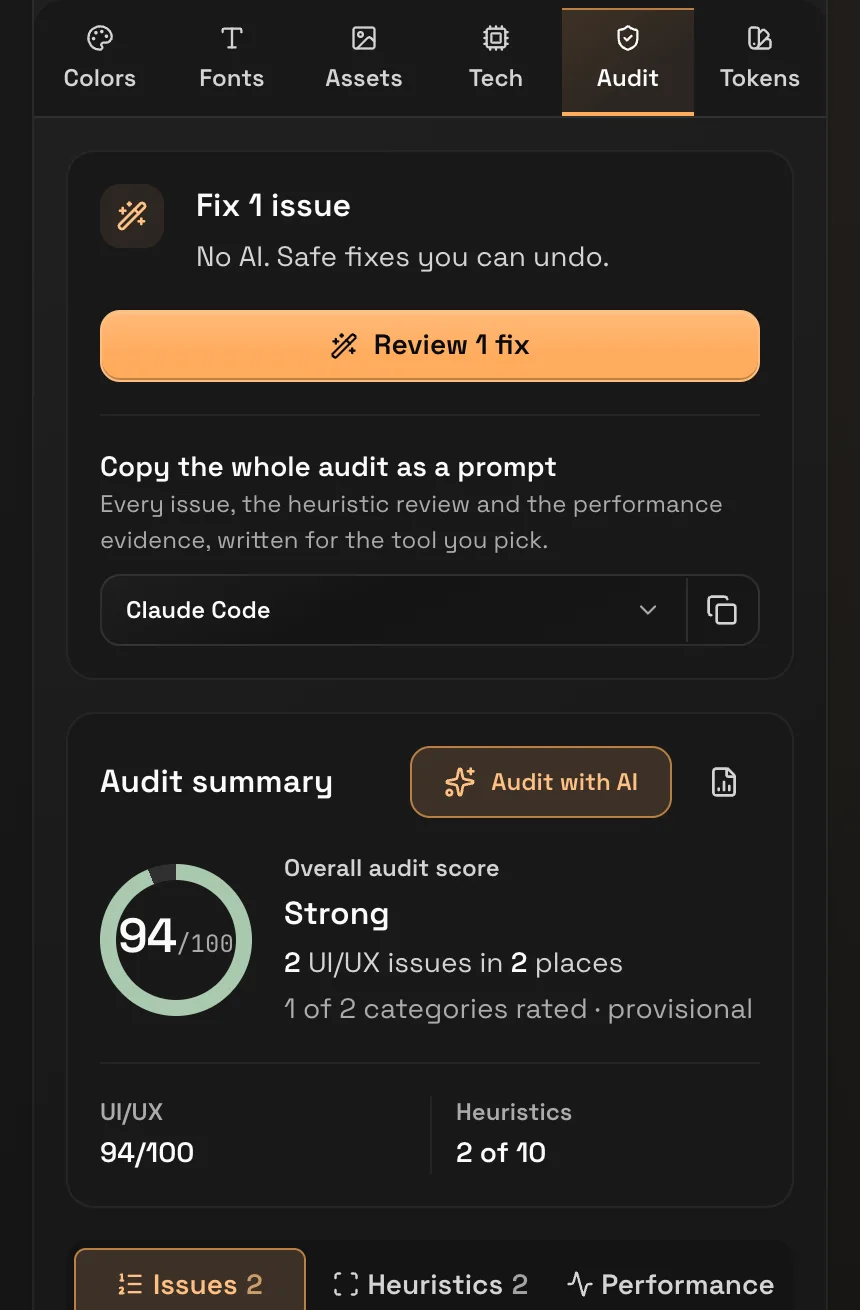
Audit leads with the fixes you can review and undo. Below them are the score, the issues and the ten usability heuristics, and the performance view now covers loading, layout shift and interaction.
Each view ends with a prompt written for the AI tool you pick. Extract got simpler too: each color once, and fonts by family with a Get link.
Free stays free. Pro adds the rest.
You get 7 days of everything with no card. After that, Free limits apply until you upgrade.
Free keeps inspecting, the color picker and contrast checks, extraction, the audit score with top issues, and performance. Themes, Figma, DESIGN.md, AI mode, Localize and the full audit are Pro. The plans and prices are on the home page.
Also in 1.2
- Responsive: phones and tablets act as those devices, with touch, their own browser and screen, and no hover. With Sync, a scroll, a tap, typing or a new page in one device happens in all of them.
- A color edit now reaches the borders, icons, shadows and gradients that use that color.
- The panel follows its tab to a new page, and says plainly when a browser page can’t be scanned.
- AI mode and Audit with AI start on your own key from your AI provider.
- The color picker works on pages with a moving carousel, the tools work on plain http sites, and Localize no longer follows a language link that leads nowhere.
Version 1.1.0 (in the Chrome Web Store by 30 October 2026)
- Prompts for your AI tool from any element, the audit or your live edits, each with a screenshot
- Copy an element and paste it on another site, then match it to that site’s style in one click
- Copy the working code of any element
- Spacing set per side in joined fields; frames grow to fit new content
- AI settings: use free models only, and optionally only providers that do not keep what you send
- Preview audit and contrast fixes on the page, with a tour of each change and undo
- Compare real device layouts side by side inside the page, with scroll sync and a refresh control
- Single-key shortcuts while the toolbar is open: V inspect, I pick a color, R responsive view, P Extract, U Audit
- Inspect works like a design tool: select several layers, set width and height, scale a layer with its contents, drag layers anywhere, and press ? for every shortcut
- Change any color on the page everywhere at once; contrast checks start on the background each color really sits on
- The audit groups observed issues by all ten usability heuristics, with task walkthrough checklists
- A color picker that reads this tab only, with a magnifier
- Separate Extract and Audit panels beside the page
- Accessibility checker in the color details
- Broader technology detection with evidence and coverage guidance
Version 1.0.3 (October 2026)
- The first stable release
- Contrast check in the hover card
- Export design tokens in several formats, including for design tools
- Redesigned audit report with a score and shareable exports
- Color palette image and one-click palette copy
- Accurate colors on sites that use modern color features
- Send feedback from the help panel
- A welcome guide on first install
- The analysis panel opens in Chrome’s side panel, so the page beside it reflows
- Tech tab shows the programming languages behind a site
- A clearer toolbar icon on light, dark and tinted themes
- No longer asks for access to your list of open tabs
Add Browser Extractor to Chrome. Questions about a release: support@browserextractor.com.